Works with your AI
Your own job-hunting agent.
Hunter works inside the AI tools you already use: Claude Code, Codex CLI, Cursor CLI and 16 more.
Save this job from the posting I sent.
Your AI: Used HunterSaved to To Apply, with the posting link kept.
Saved job
Mid-Market Account Executive
Summitpath Cloud
Integrations
Built to work wherever you use your AI.
Every integration here is live. Open one for its steps.
Chat apps
2Personal agents
2Coding tools and app builders
11On your computer
1Agent builders
2Models and inference
2Directories
1- See all 21 integrations
Logos belong to their makers. No partnership or endorsement is implied.
In your browser
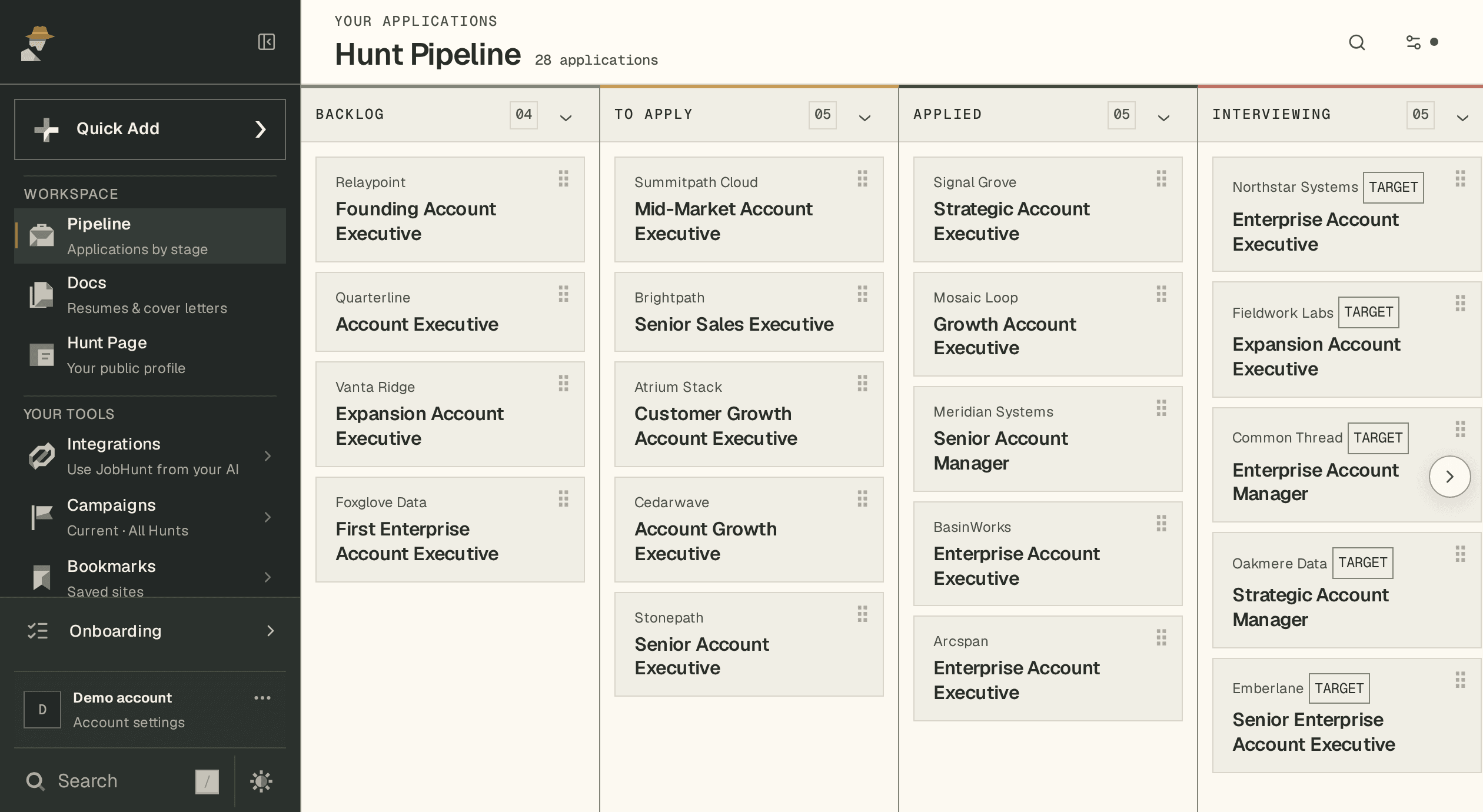
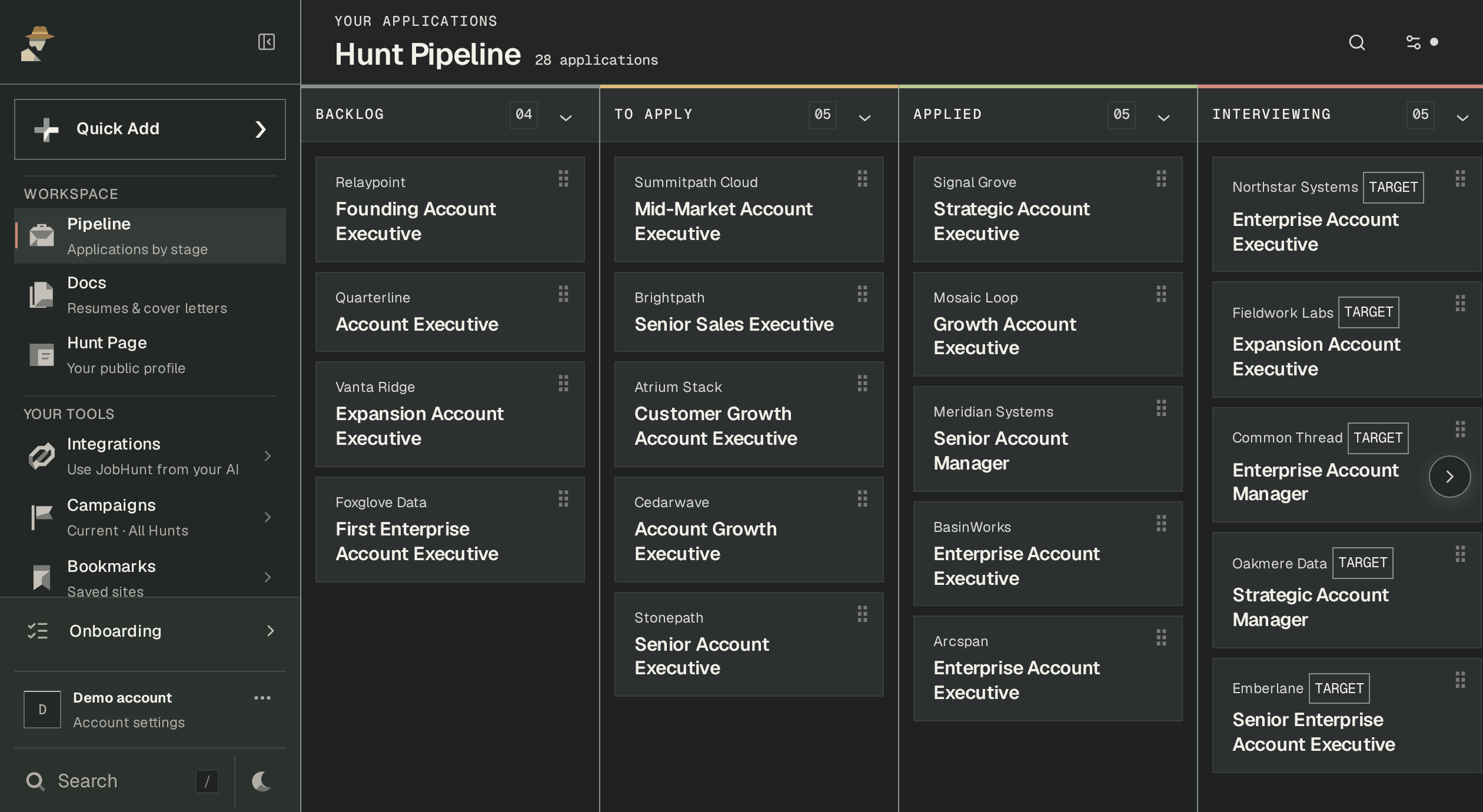
The same hunt. A clear view.
Check everything your AI saved. The web app also works on its own.
What you can do
Everything a job search needs, in one tracker.
Your AI and the web app share the same records.
Jobs and companies
Save jobs from a link. Keep target companies in view.
Save a roleJob pipeline
Move each application through stages. Keep separate searches apart.
Organize your pipelineResumes and cover letters
Import one or start fresh. Edit, and restore any version.
Import a resumeTailored resumes
A separate copy for each job. Your master stays unchanged.
Tailor for a roleApplications
Prepare the exact files, apply yourself, record what you sent.
Record a submissionInterview preparation
Each round, your preparation and the outcome, kept with the job.
Prepare for an interviewContacts and follow-ups
People, conversations and dated tasks, kept with the job.
Plan your follow-upsHunt Page
A public professional page. Private until you publish it.
Share your Hunt PageJob site bookmarks
Save the job sites you check. Your AI can search them.
Keep your search sites
How it works
You ask your AI. JobHunt keeps the record.
You talk to the AI you already use, it saves your work to JobHunt, and you check it all in the web app.
Connect your AI
Add JobHunt in your AI's settings, then approve access on one JobHunt page.
Bring what you have
A resume, a job link or a company. One is enough.
Ask in plain words
Save this job. Tailor my resume. Remind me Friday. Hunter says what changed.
Check it in the browser
Open JobHunt to see every job, resume copy and task your AI saved, then apply yourself.
JobHunt contacts no employer. Nothing is sent unless you send it.
Build on the same records.
Every surface uses the same registered operations and your scoped access.
jobhunt.app/mcpFig. 2PatternREST APIOperations, scopes and schemas./api/v1/journey/{operation}Fig. 3InstallCLIInstall from npm, then sign in from your browser.npm i -g jobhuntFig. 4EventWebhooksWorkspace events, delivered to you.application.status_changedQuestions
Common questions
How much does JobHunt cost?
$20 a month after a 7-day free trial. No card to start. Cancel anytime.
Do I need an AI subscription?
No. The web app works on its own. The company behind an AI you connect may have its own costs.
Do I need a card to try it?
No. You get full access for 7 days, and nothing is charged unless you subscribe.
What if I want to cancel?
Cancel from Billing in Settings. You can still read and export your work afterward, and ask for a refund within 30 days of your first charge.
What do I get for the price?
A job board, resumes and cover letters, interview and contact notes, and follow-ups. Your AI drafts from your own words and saved facts. You apply yourself, and JobHunt contacts no employer.
Which AI can I use?
Any AI that can connect to an MCP server. Setup guides are live for Claude Code, Codex CLI, GitHub Copilot CLI and Cursor CLI, with more under Integrations. You approve its access and can remove it any time.
Can I bring my existing resume?
Yes. Paste it to your AI, or upload a PDF or Word file in the web app. You check the facts before anything is saved.
Is my information private?
Yes, unless you publish a Hunt Page or share a link. You can export your records or delete your account from Settings. Your AI’s provider handles what it receives under its own policies.
7-day free trial
Start in the AI you already use.
Paste one message into your AI. It shows you how to add JobHunt, and you approve access on one JobHunt page.
- 7 days free
- No card needed
- Email link or LinkedIn
For Claude Code, Codex CLI, Cursor CLI and more
Please connect this chat to my JobHunt account.

Server: https://jobhunt.app/mcp
Setup guide: https://jobhunt.app/support/developers/mcp/connect-your-assistant.md

1. Read the setup guide.
2. You probably can't add JobHunt from your side. Show me the steps to add it as a custom connector in this app, using the server address; I'll do that and sign in. If this app can't connect to a custom server at all, say so.
3. Never ask me to paste a password or access token.
4. After I authorize access, check that it worked: call get_overview. It names the connected account and changes nothing. Do not create or change records during this check.