

Agent workspace
Run your job search by asking. From the AI assistant you already use.
Save a job from a link, tailor your resume, get the PDF and prepare for interviews. Your agent does the legwork. You make the calls.
- 7 days free
- No card needed
- Email link or LinkedIn


Hunter
SampleI’m ready to look over my resume as a PDF. Can you get it for me?
Which document do you want: Commercial AE — New Business or Account Growth — Expansion AE?
Commercial AE — New Business. Use the current saved resume, please.
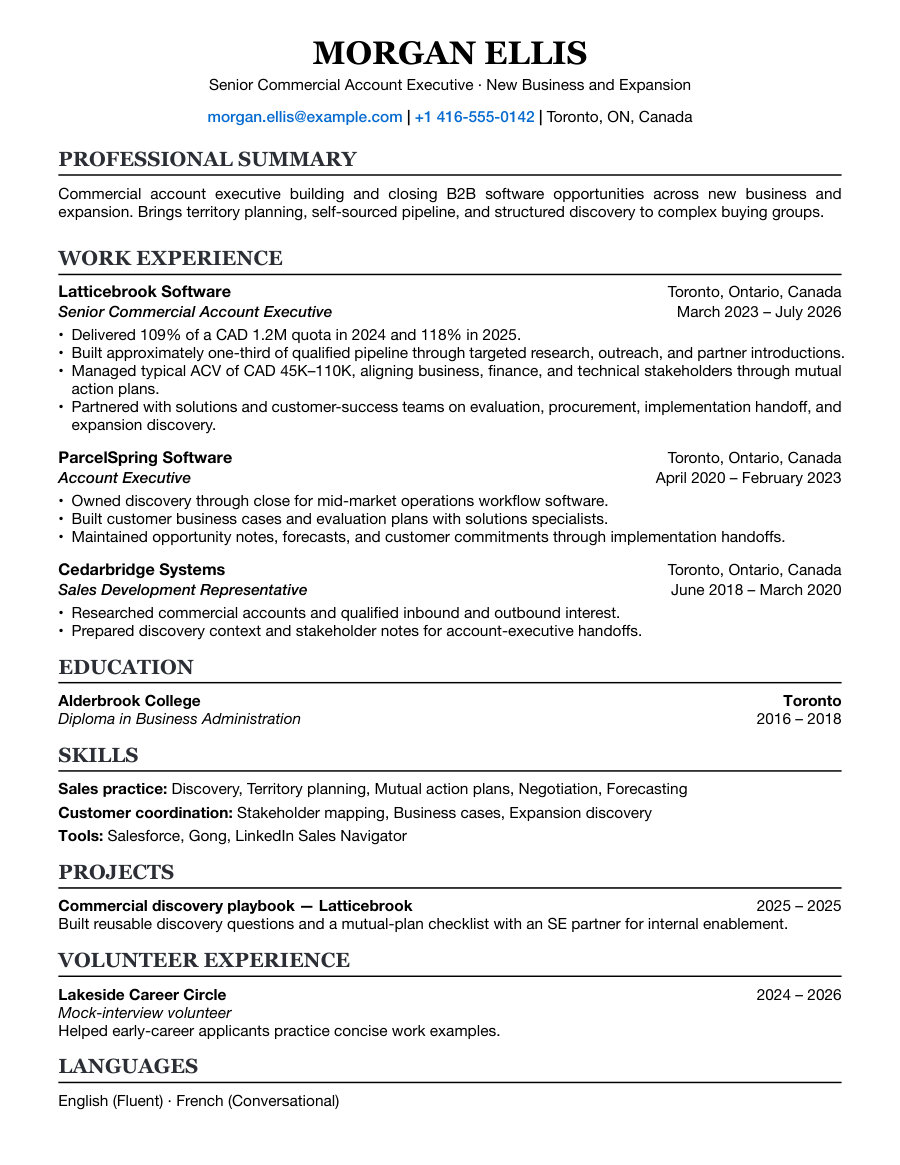
Here’s the rendered PDF for that resume. Open it to check the layout before using it.
Ask next03
Tailor for a role
Prepare for interviews
Plan a follow-up
What you can ask
Ten everyday requests, in plain words.
Each one is a sample conversation on the homepage.
Get organized
Set up your hunt
I’m starting a new job search. Can you help me get organized instead of saving jobs everywhere?
Import job postings
I found the Summitpath Cloud and Brightpath roles. Can you put them in my JobHunt pipeline?
Find your next move
I’ve got several roles moving at once. What are three useful things I could do next?
Resumes and letters
Create a resume
I need a solid starting resume. Can you use my career history so I’m not rewriting it from a blank page?
Edit your resume
My resume summary feels wordy. Can you make it clearer and more concise?
Tailor for a role
Northstar’s Enterprise AE role looks interesting. Can you help tailor my resume for it?
Download a PDF
I’m ready to look over my resume as a PDF. Can you get it for me?
Apply and follow through
Record an application
I applied to Brightpath today. Can you help me keep the pipeline up to date?
Prepare for interviews
My Northstar final panel is coming up, and my notes are scattered. Help me work out what to prepare.
Plan a follow-up
Clearpath has made an offer, but I still don’t have all the terms in writing. Help me follow up with Drew.
How it stays yours
Your account. Your say.
An agent works in your account only after you approve it, until you remove it.
You approve the access
Connecting opens a JobHunt consent screen. Check it before you allow anything.
You see what it may do
Connect Agent lists what it can read and what it can change.
You can disconnect any time
Open Connect Agent in the sidebar and choose Disconnect. Your saved work stays.
One set of records
Your agent and the web app use the same account.
Disconnecting ends future access. It does not remove what was already returned to your assistant’s provider.
Bring your agent
Works with the agent you already use.
JobHunt runs its own MCP server. Any agent that connects works in your account once you approve it.
Assistants
For developers
Any MCP-compatible agent or tool connects the same way.
How to connect
Connect in three steps.
The same steps in every assistant.
Step 1
Add JobHunt
Add the server address in your assistant’s connector settings.
https://jobhunt.app/mcpStep 2
Sign in and approve
Check the account and allow the access you want.
Step 3
Ask
Start with a read: “Which JobHunt account am I connected to?”
Questions
Before you connect anything.
Which assistants does it work with?
Any agent that supports remote MCP servers with OAuth connects the same way. Each integration that is live has its own page with the steps.
Do I need a paid AI plan?
Maybe. Your assistant’s provider may charge separately or limit custom connectors, depending on your plan with that provider.
Does JobHunt write my resume?
No. Your own agent can draft from facts you supply. You review the words before they are saved.
Does JobHunt apply for me?
No. You apply through the employer’s process, then record what you sent.
What can a connected agent do?
Read and change your records within the permissions you approved. Remove it any time from Connect Agent in the sidebar.
Can I use JobHunt without an agent?
Yes. The web app works on its own, and both work on the same saved records.
7-day free trial
Ask for the first thing.
Connect your assistant and save one job. The rest can wait.